Quotex Deposit Guide 2026: How to Add Money, Fees & Processing Time
In this guide, you’ll learn how to add money to your Quotex account, explore available deposit methods, and understand associated fees and processing times so you can fund your trading balance smoothly and begin trading with confidence.

Quotex Deposit Process Overview
Quotex is a well-known online trading platform that gives traders access to a broad range of financial markets through a streamlined and efficient trading environment. Valued for its intuitive interface and fast order execution, Quotex is a popular choice among traders who prefer a smooth, accessible, and user-focused trading experience.
The platform supports trading in various asset classes, including forex pairs, commodities, indices, and cryptocurrencies, making it suitable for both beginners taking their first steps and experienced traders seeking flexibility.
Below is a clear and professional overview of the Quotex Deposit Process.
#1 Navigate to the Quotex Official Trading Site
Begin by opening the official Quotex website and double-checking the web address to avoid fake or fraudulent sites. The platform is designed with a simple and intuitive layout, making it easy to navigate.
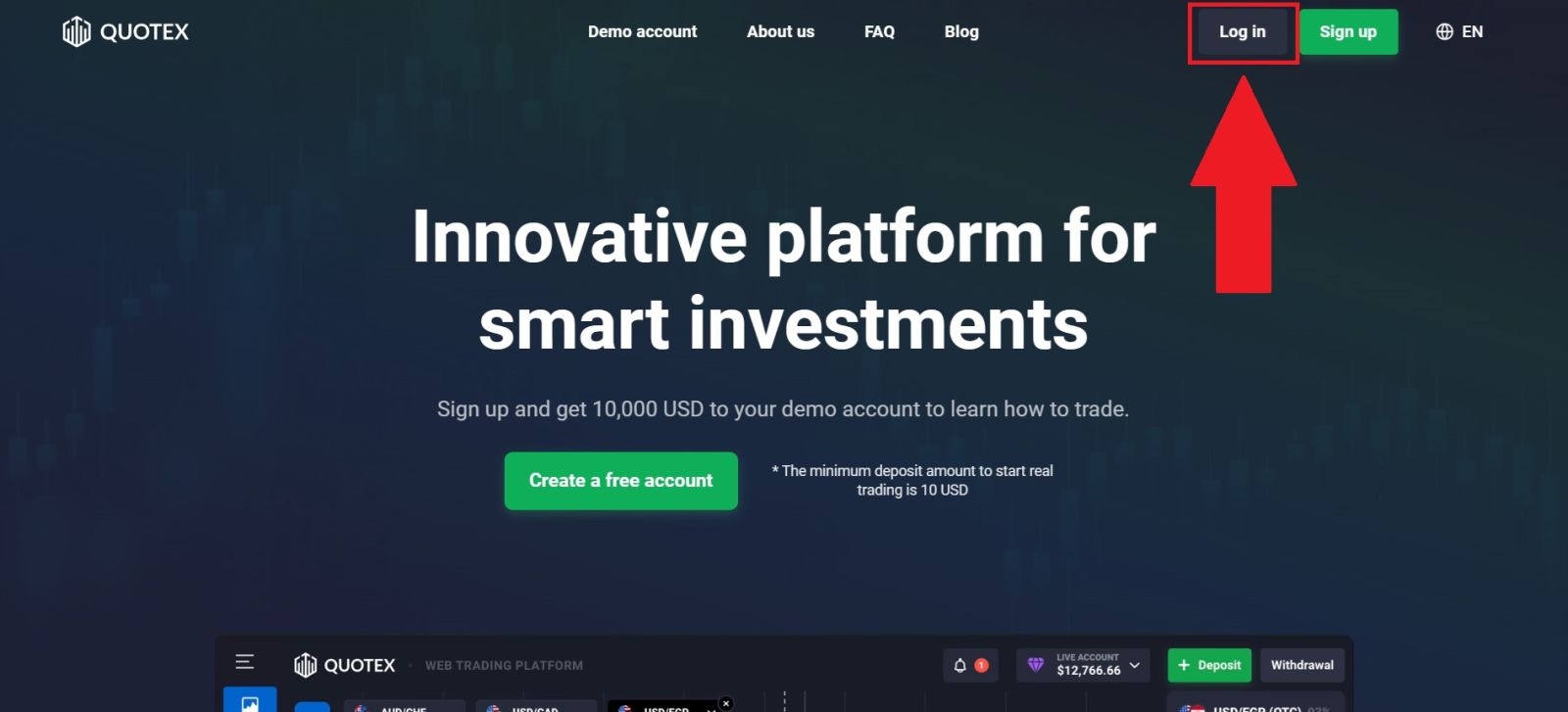
On the homepage, select [Log in], which will take you to a secure page to safely enter your login credentials.
#2 Navigate to the Deposit Section
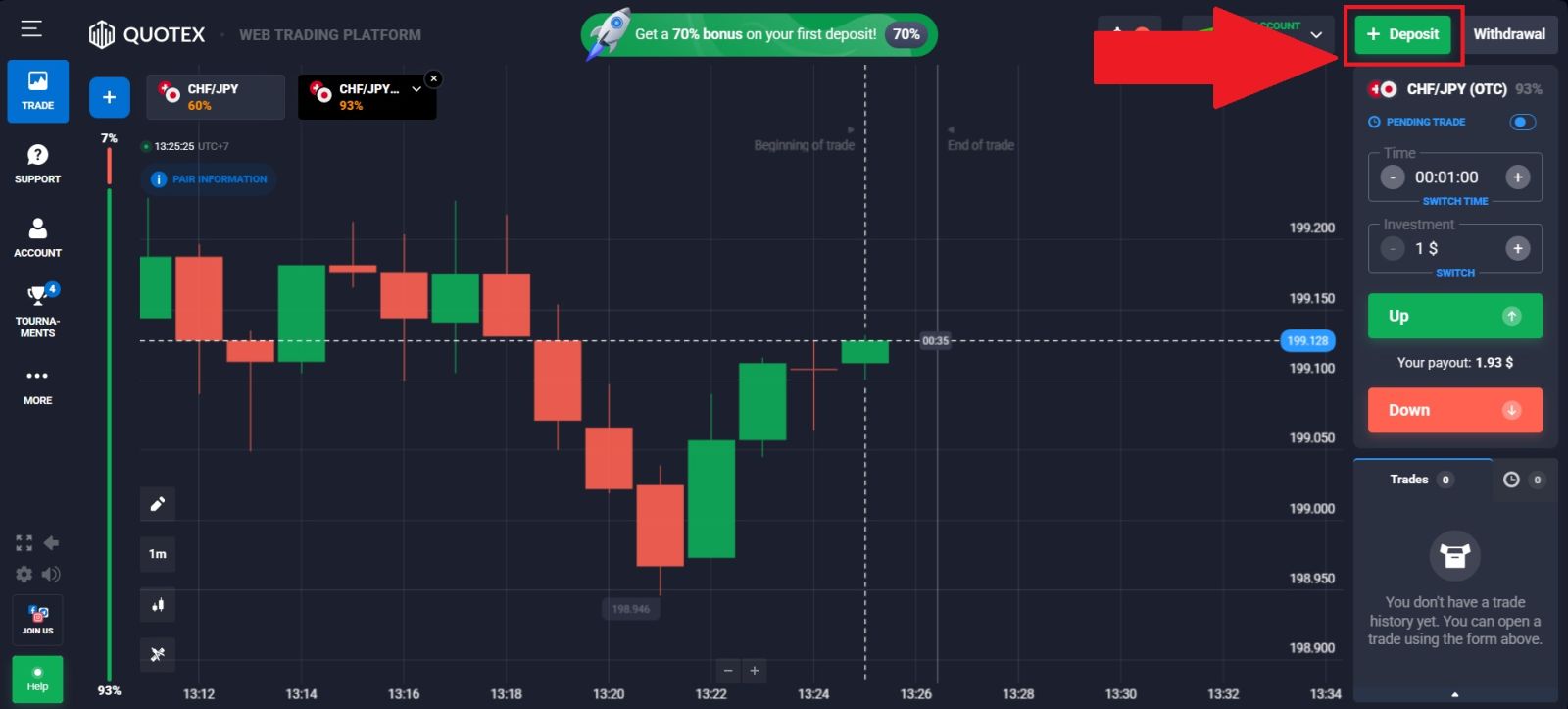
Once you have successfully logged in to your Quotex account, click on [Deposit] on the top-right of the homepage.
This section is dedicated to account funding and allows you to view all available deposit methods, manage your payment options, and begin the process of adding funds to your trading account securely and efficiently.
#3 Choose your Deposit Method
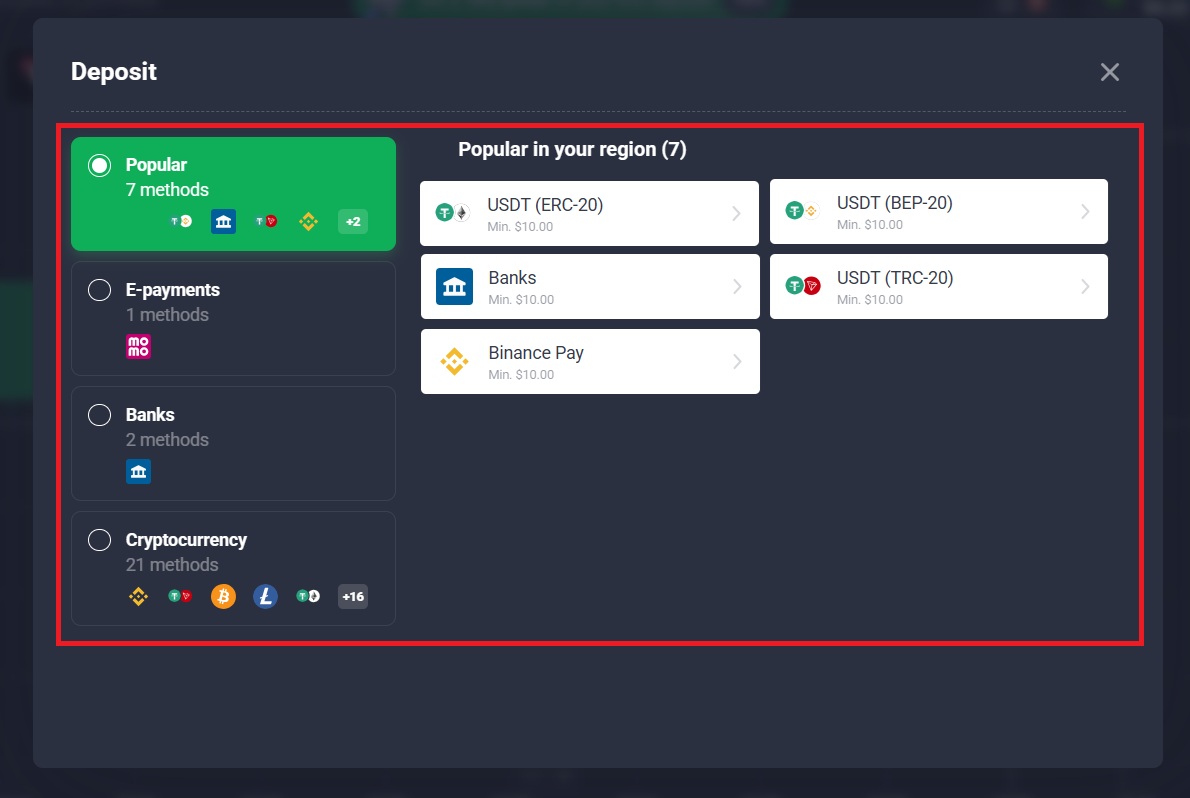
Select the deposit method you prefer from the list of available options provided by Quotex. Choose the payment method that best suits your needs and availability.
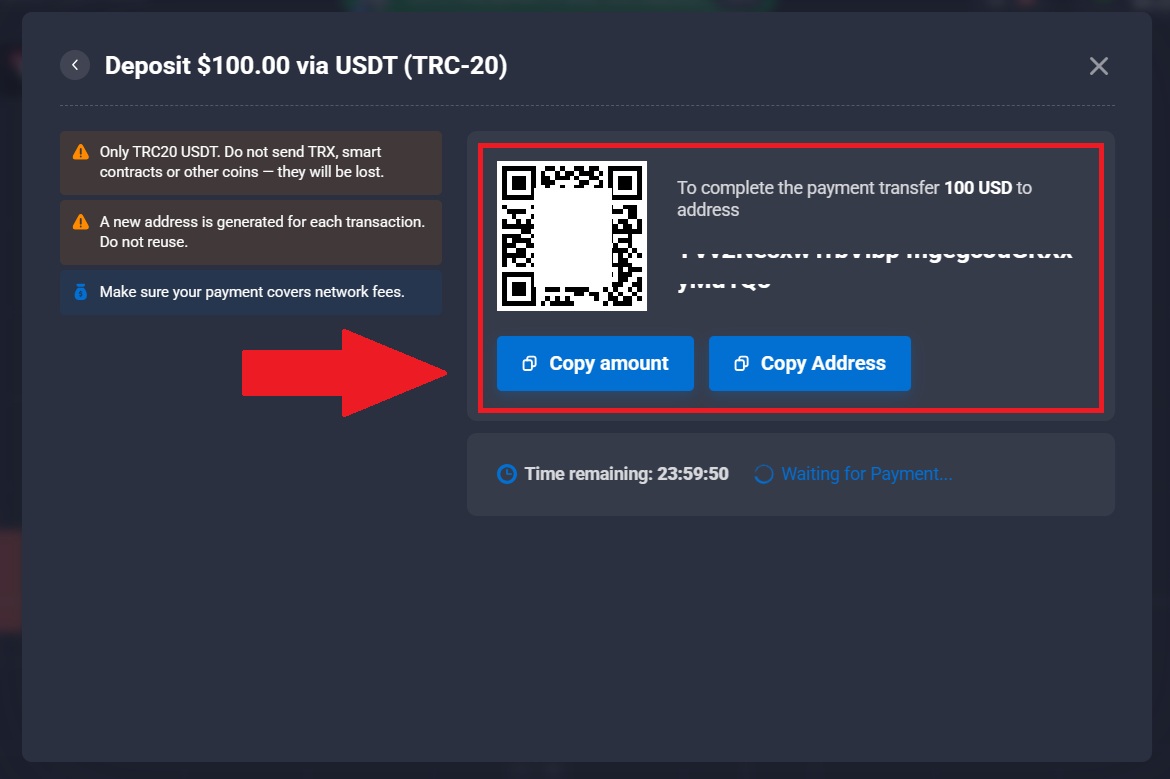
In this example, Cryptocurrencies—USDT (TRC20) is selected, as it is a popular choice due to its fast processing time and relatively low transaction fees.
#4 Input your Deposit Information
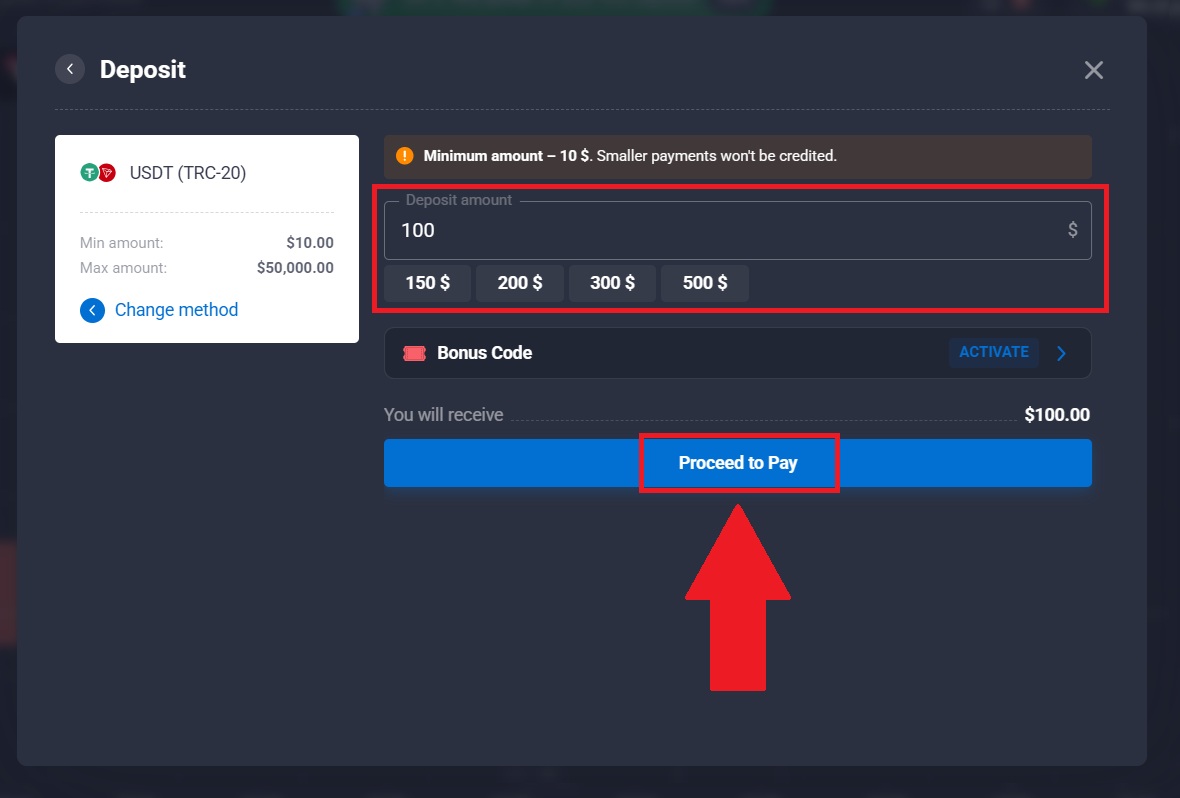
Enter the amount you wish to deposit in the designated field.
Finally, click the [Next] button to proceed with the deposit process and follow the on-screen instructions to complete the transaction. Once you’ve completed the deposit, you can view your wallet to check your updated balance.
Conclusion: Add Funds to Your Quotex Account Smoothly and Securely
Depositing money into your Quotex account is a straightforward process that allows you to start trading without delay. By selecting a supported payment method, understanding any applicable fees, and noting expected processing times, you can fund your account with confidence.
Quotex’s user-friendly deposit system and efficient processing help ensure your funds are credited quickly and securely, so you can focus on trading and opportunities with peace of mind.